
Client work
Beitürk — Elegant QR Menu
بيت ترك — قائمة طعام رقمية QR
- Custom software
- Website design
The Beitürk QR menu is a bilingual menu that guests open from the QR code on their table. They order from it, and the restaurant runs the menu itself.
What does the Beitürk QR menu do?
- Arabic and English with real right-to-left text, plus search, category tabs and chef’s picks
- Each dish shows photos, allergens, calories and options
- Dine-in orders go to the kitchen screen, and pick-up orders go to WhatsApp with the car plate
- Google reviews sync into the menu automatically, with a “Write a review” button
- The restaurant changes prices and dishes from its own admin
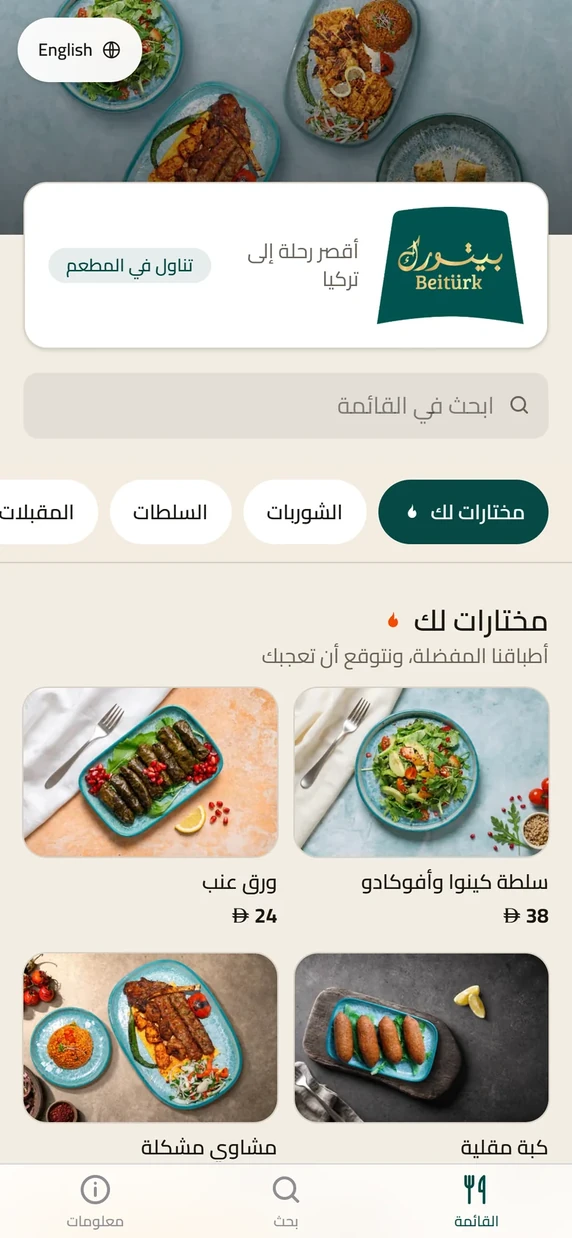
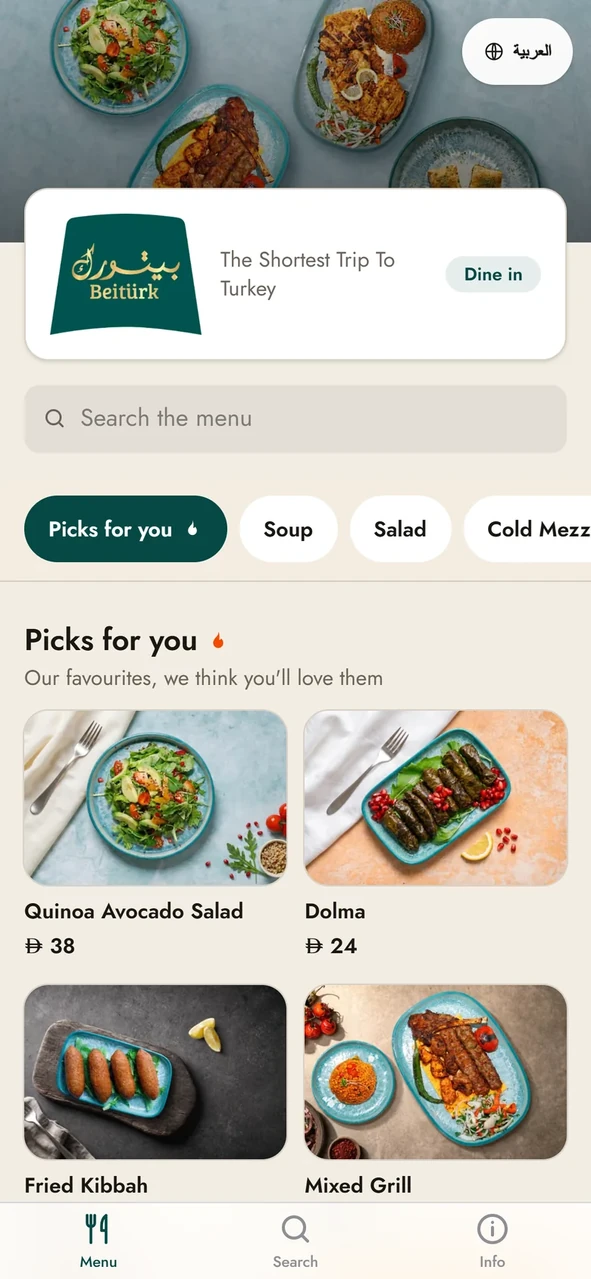
We are happy with the menu’s features and how it presents our brand. It has helped us reach more customers, and we get full support whenever we need it.
UI & UX design
Every screen the guest touches
كل شاشة يلمسها الضيف.
01
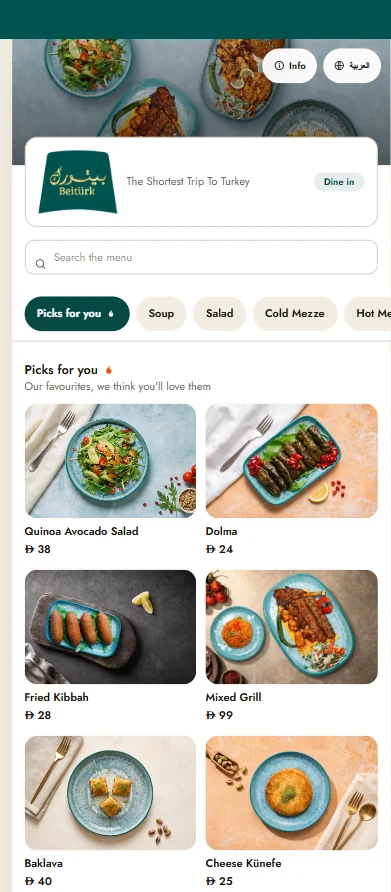
Menu and chef’s picks
A tab for every category and a row of the dishes the chef recommends, with big photos.
02
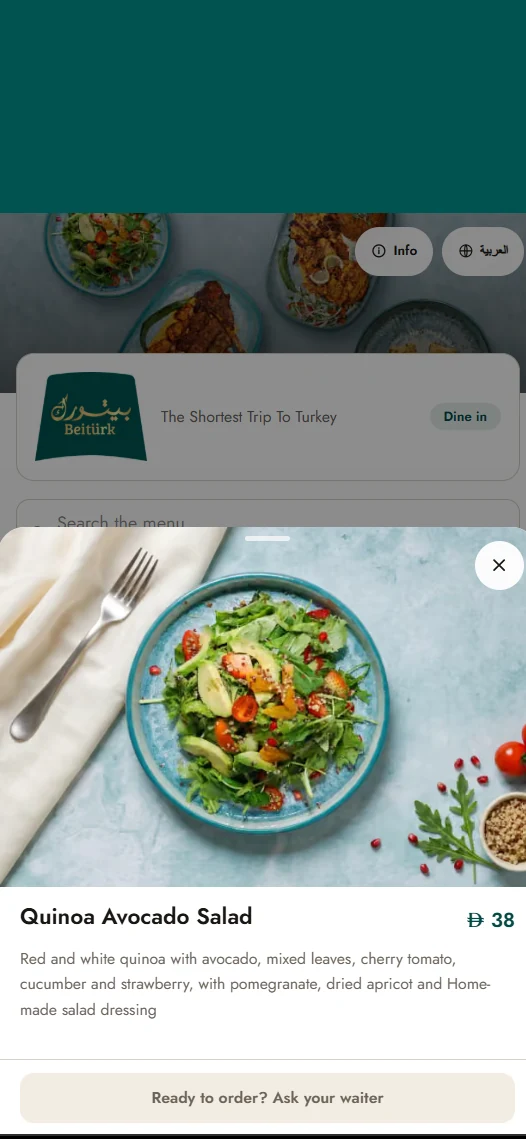
Dish details
A sheet slides up with the photo, the description and the price. One swipe closes it.
03
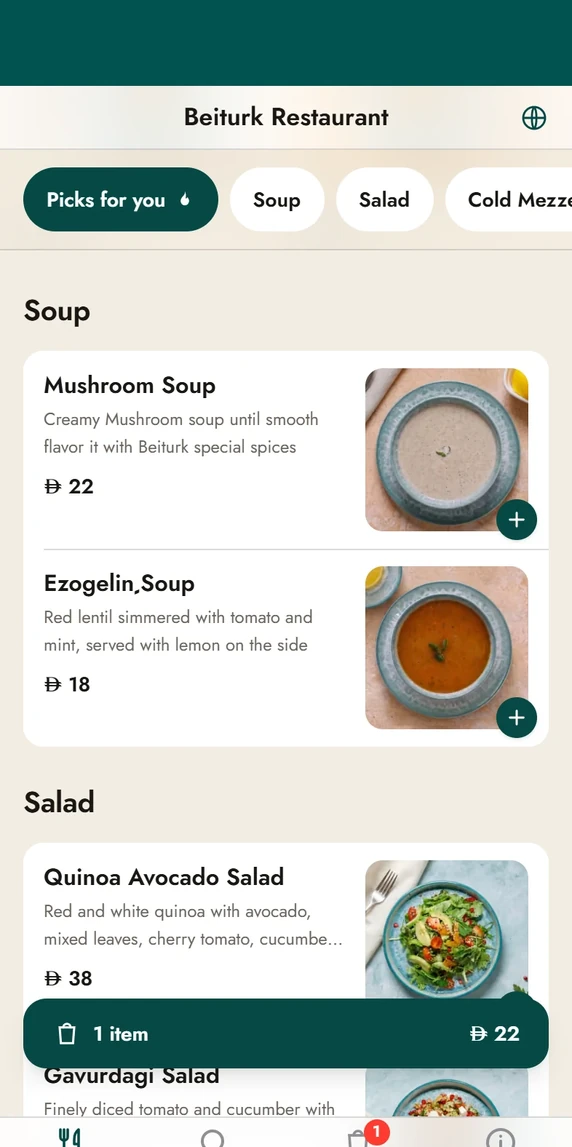
The order bar
The running total stays at the bottom while guests keep browsing.
04
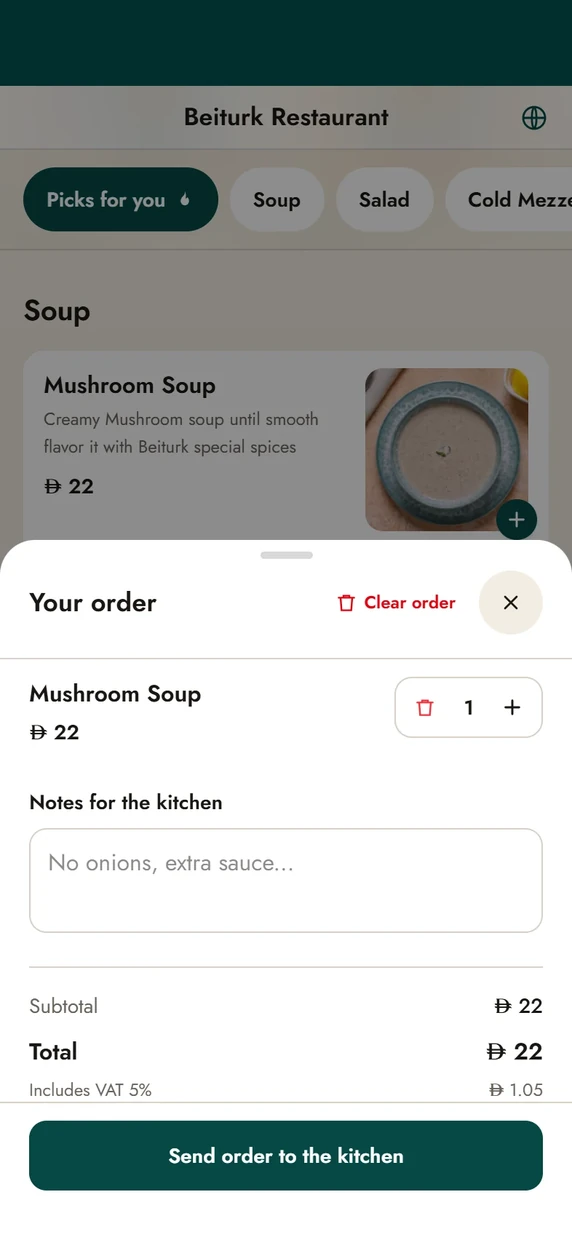
Send to the kitchen
Notes for the kitchen, VAT already included, and one tap to send the order.
05
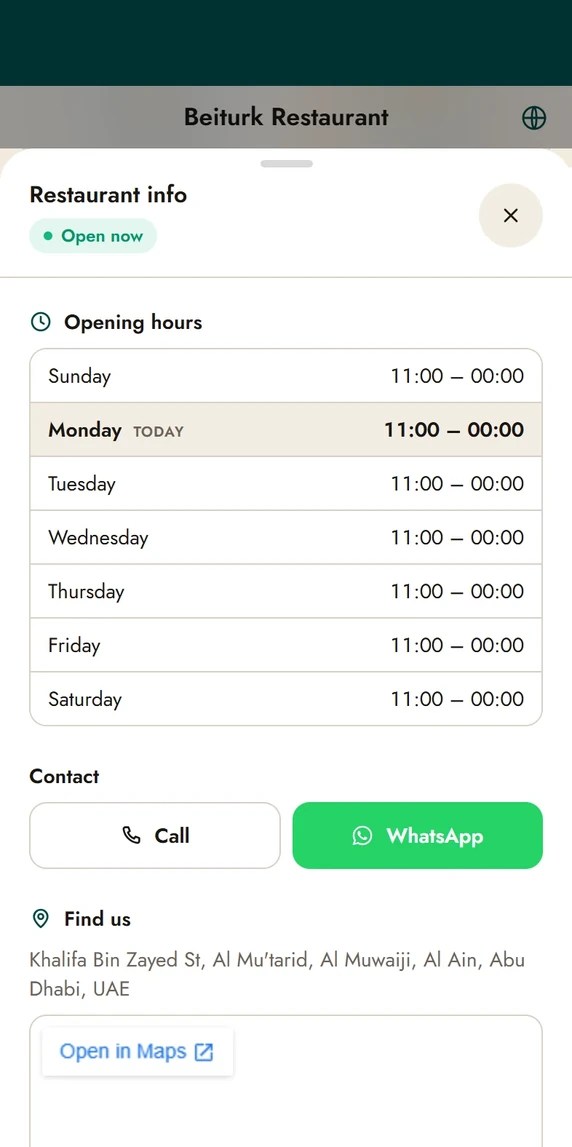
Restaurant info
Today’s hours highlighted, a call or WhatsApp button, and the map.
06
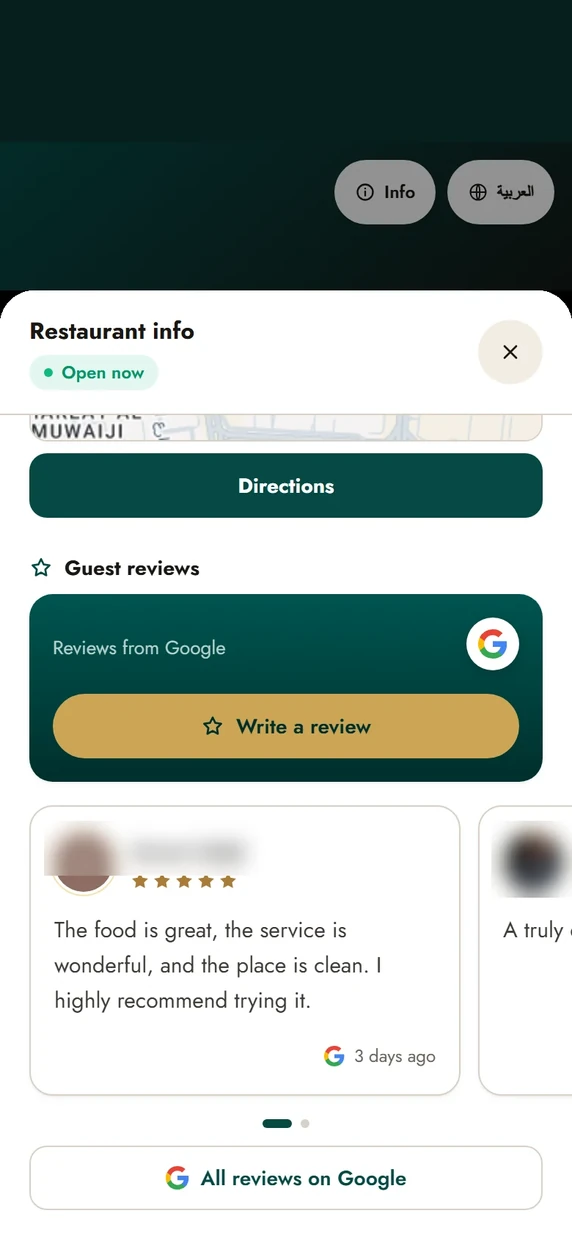
Google reviews, synced
The restaurant’s Google rating and latest reviews sync into the menu by themselves, with a button to write one.
07
Arabic, right to left
The whole menu in Arabic with a real right-to-left layout, one tap away.
The admin
Every screen the restaurant runs
كل شاشة يديرها المطعم.
The staff run the whole menu from their phones: dishes and prices, the kitchen screen, the team, the QR codes and the daily report.
01
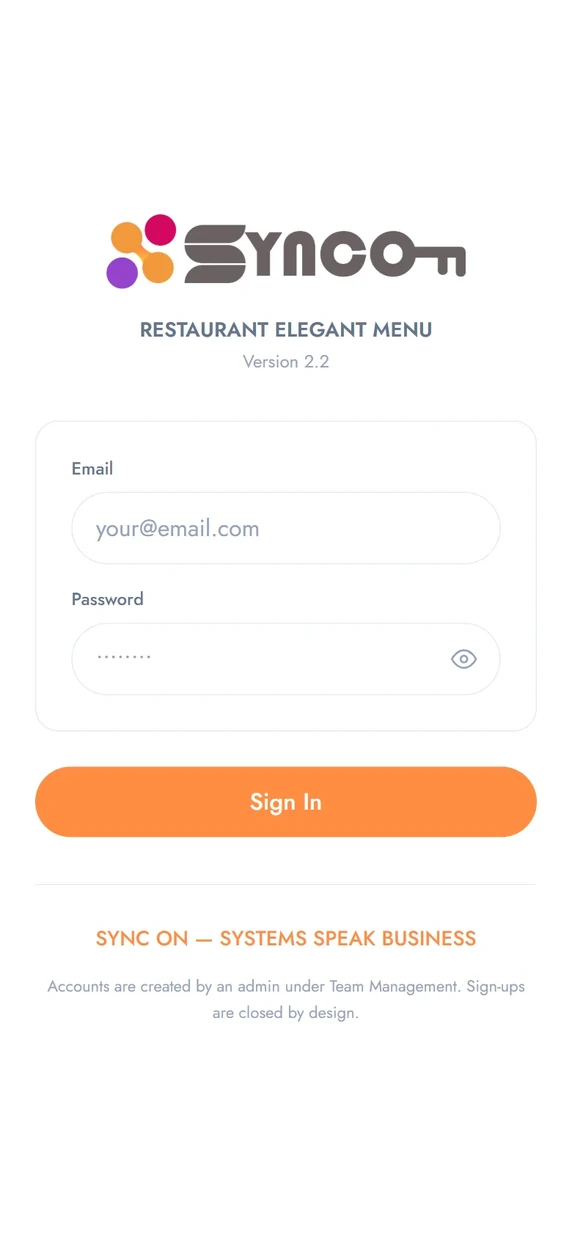
Sign in
Only staff the owner adds can sign in. There is no public sign-up.
02
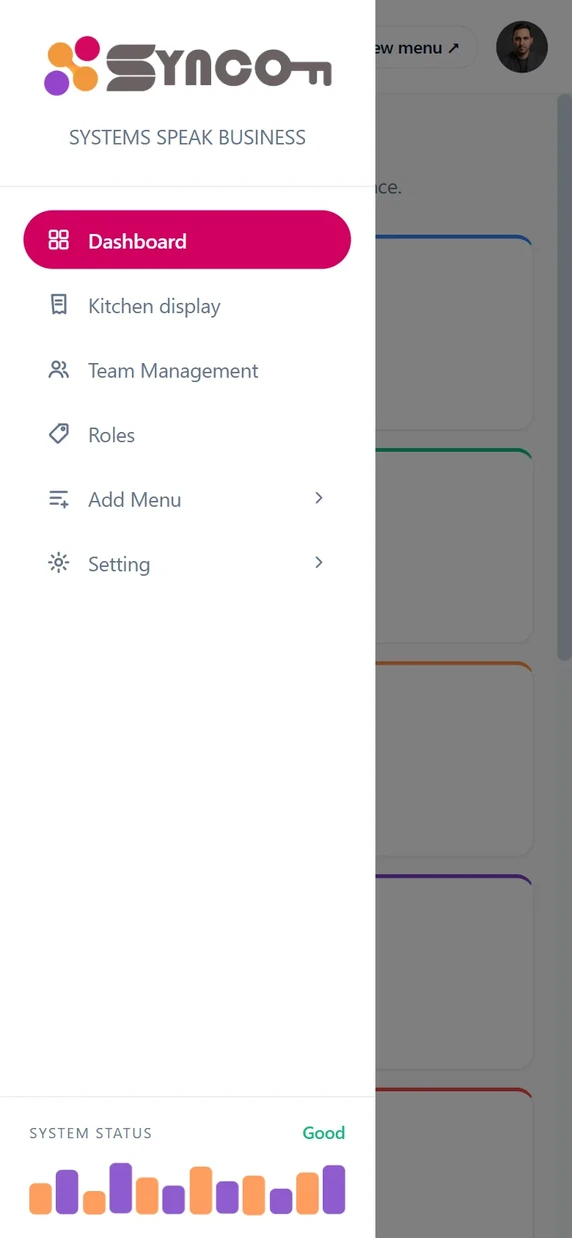
The admin menu
Every part of the restaurant one tap away, with the system status at the bottom.
03
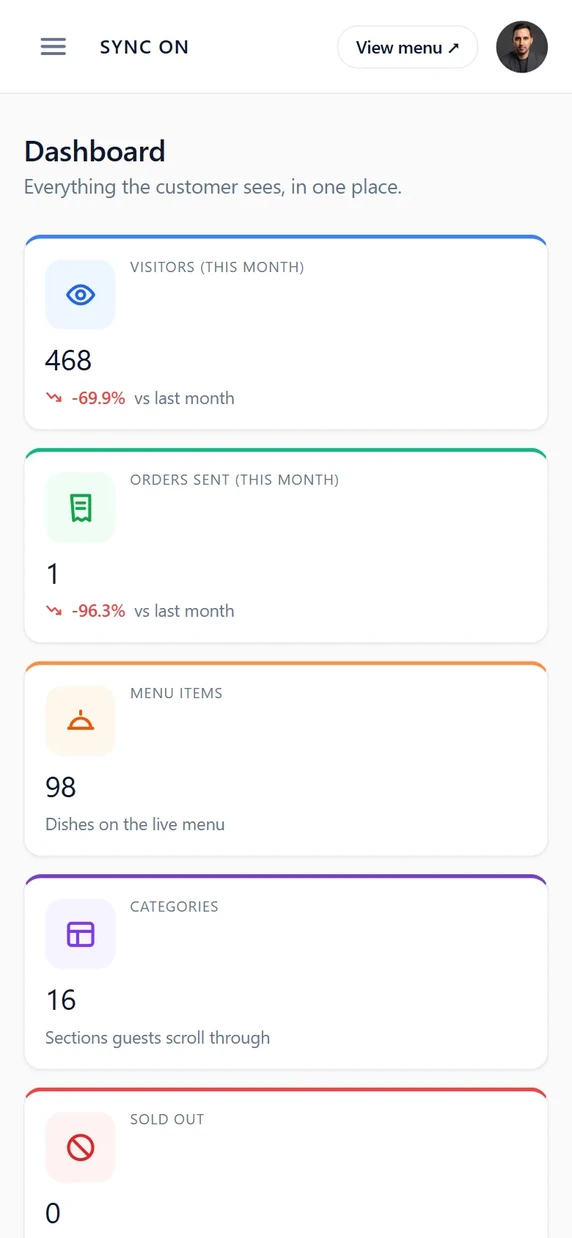
Dashboard
Visitors, orders, dishes, categories and sold-out items for the month, at a glance.
04
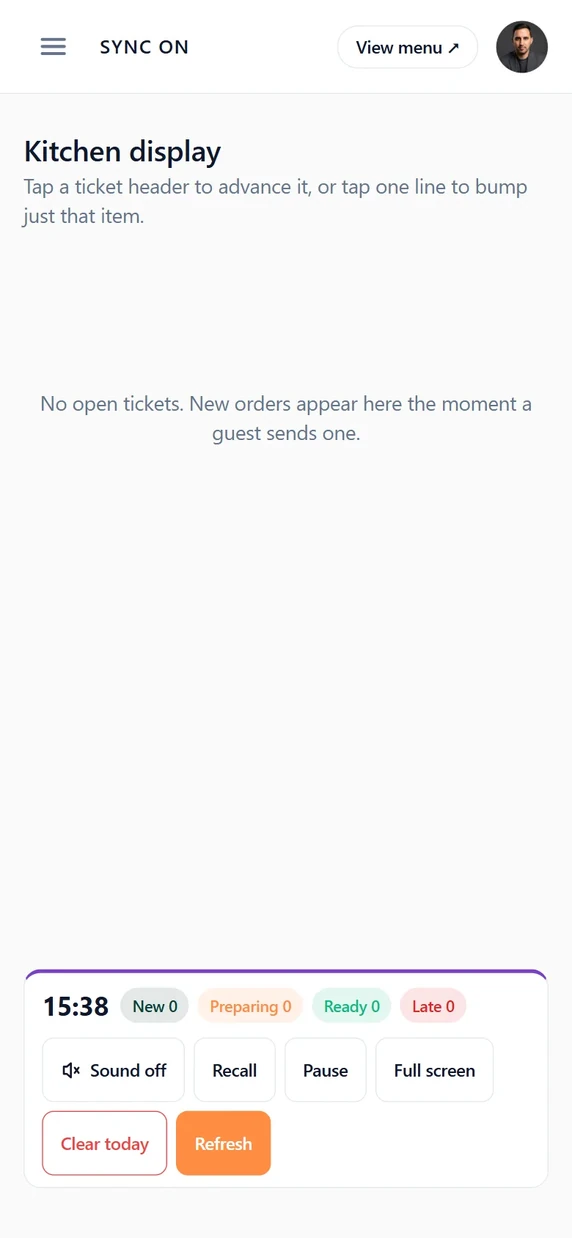
Kitchen display
Live tickets with a countdown. Tap to move an order from start to ready to handed over.
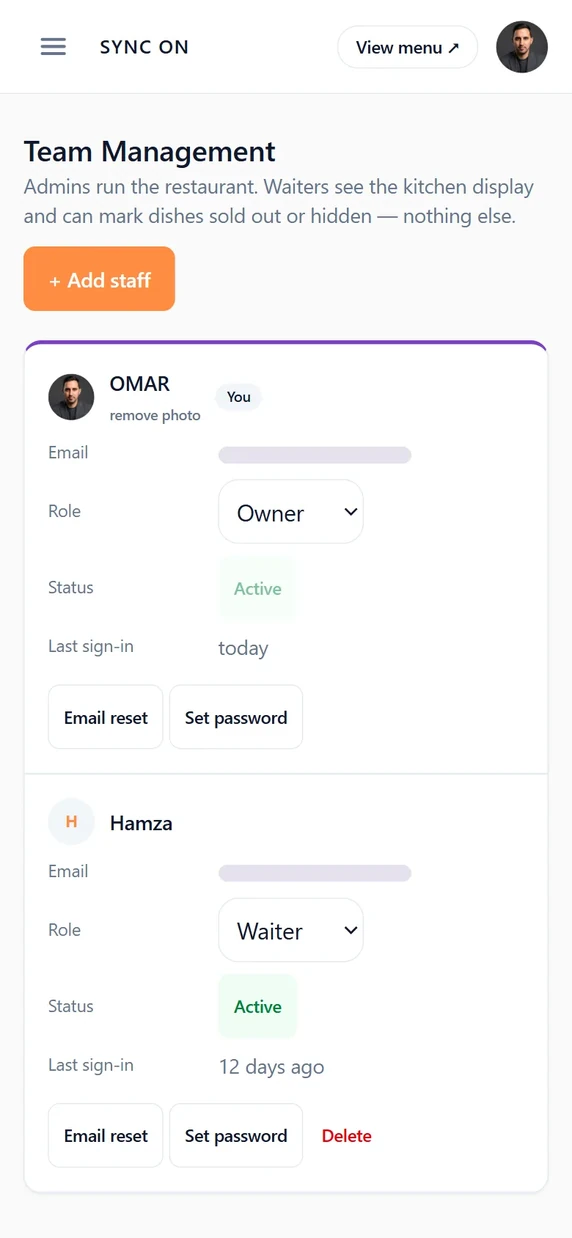
05
Team
Add staff, give each one a role and reset a password, all from the phone.
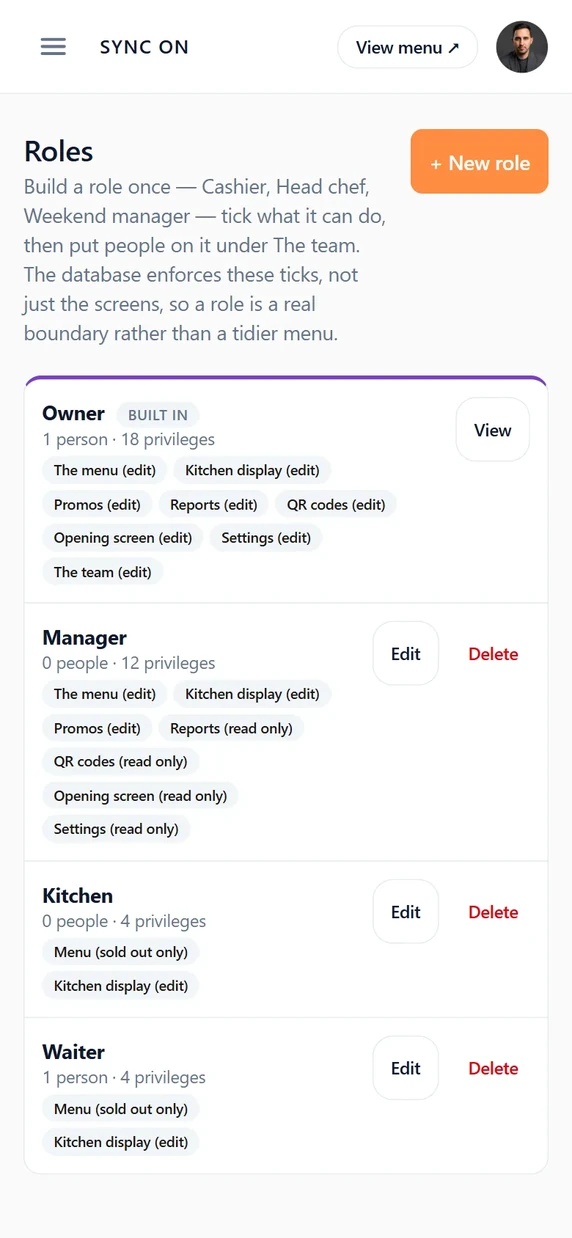
06
Roles
Build a role like Cashier or Head chef once and tick what it can see and change.
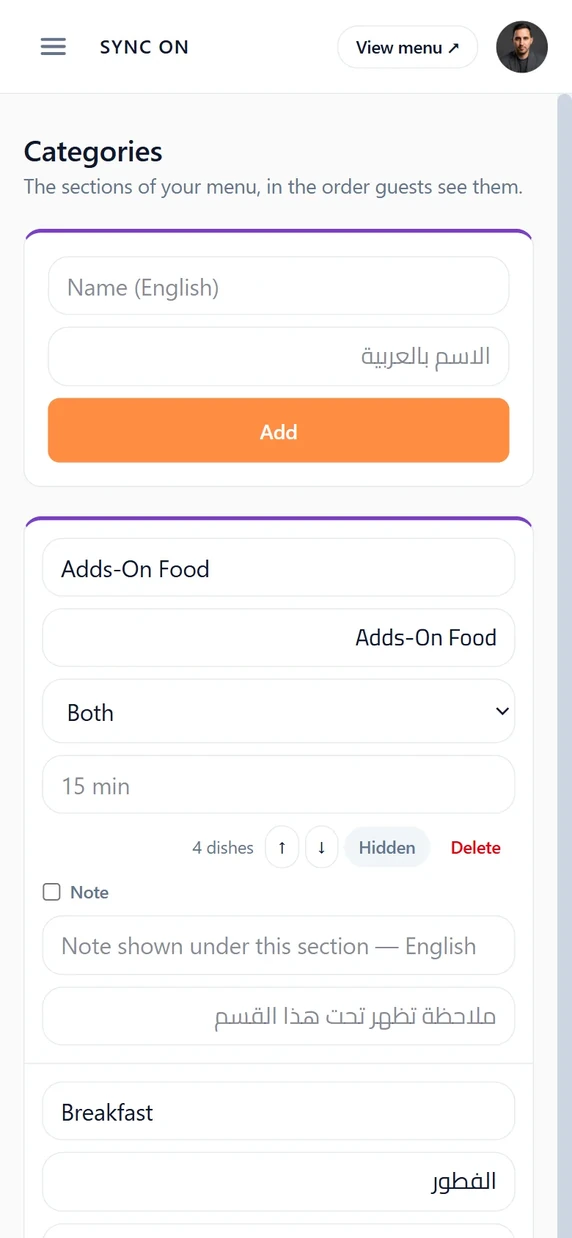
07
Categories
Sections in English and Arabic, dine-in or take-away, reordered with one tap.
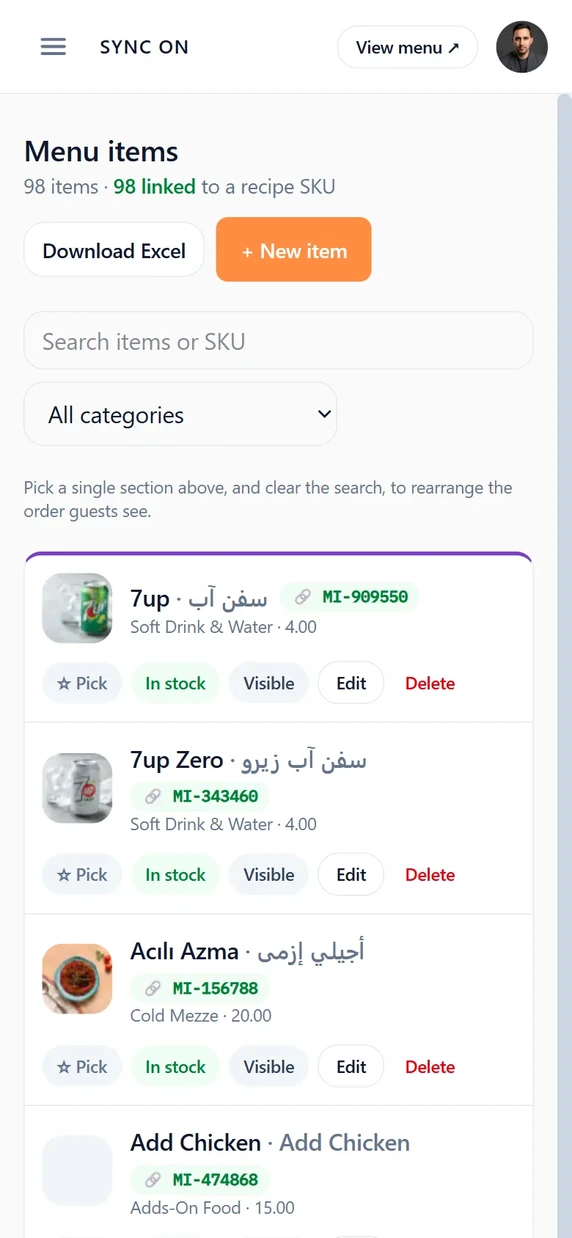
08
Menu items
Every dish with its photo, price and stock, shown or hidden from the menu in a tap.
09
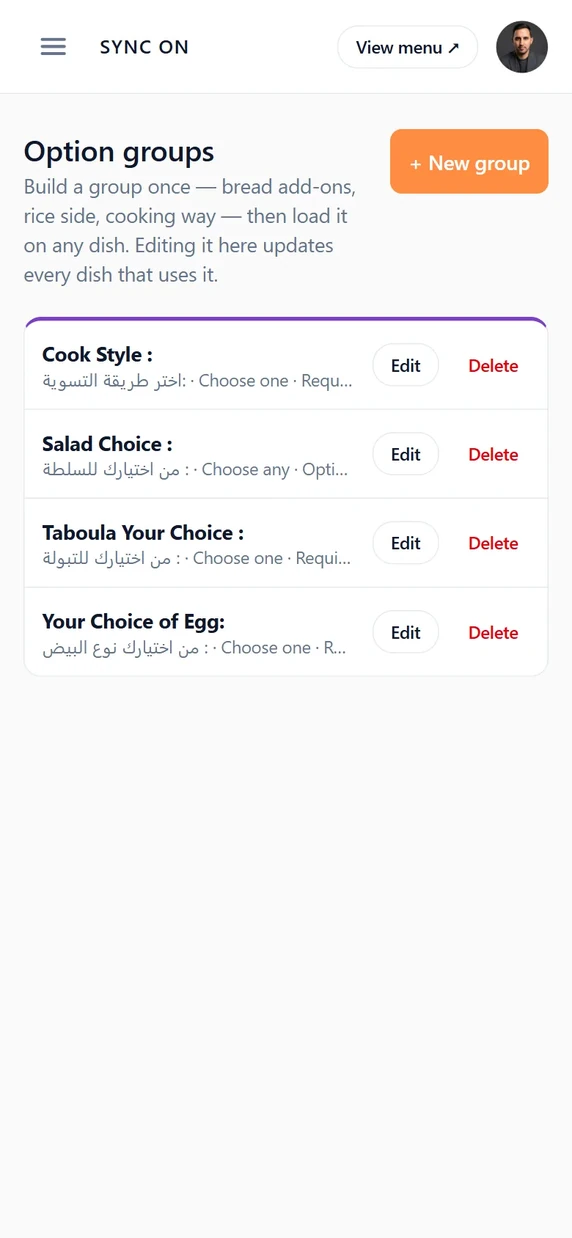
Option groups
Bread, rice or cooking way, built once and used on any dish.
10
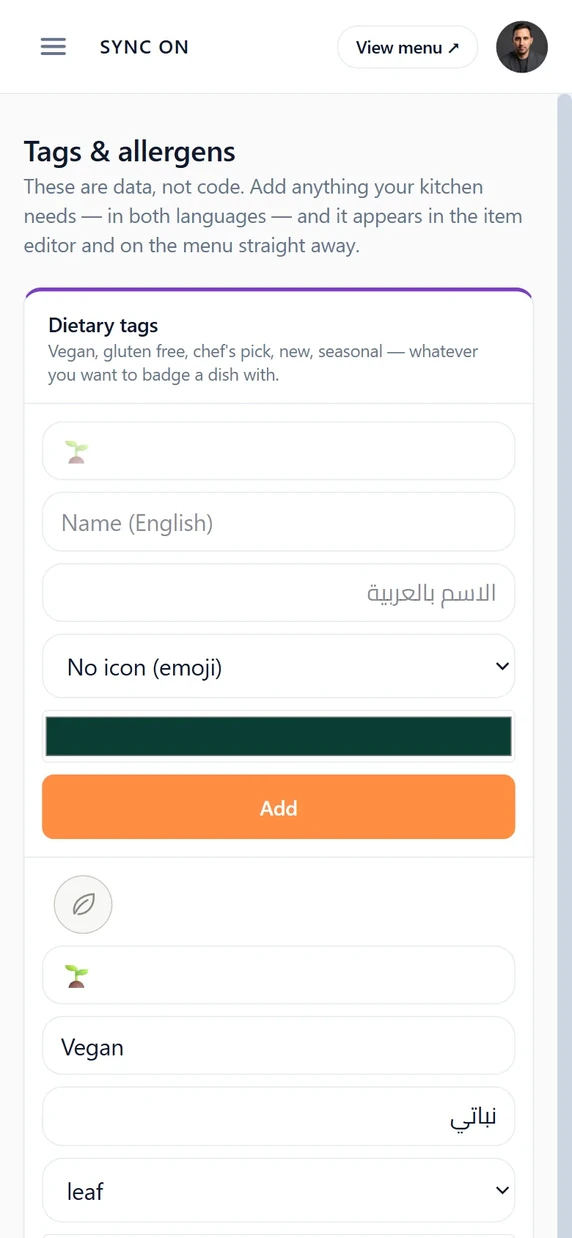
Tags and allergens
The restaurant’s own tags and allergens, with an emoji, in both languages.
11
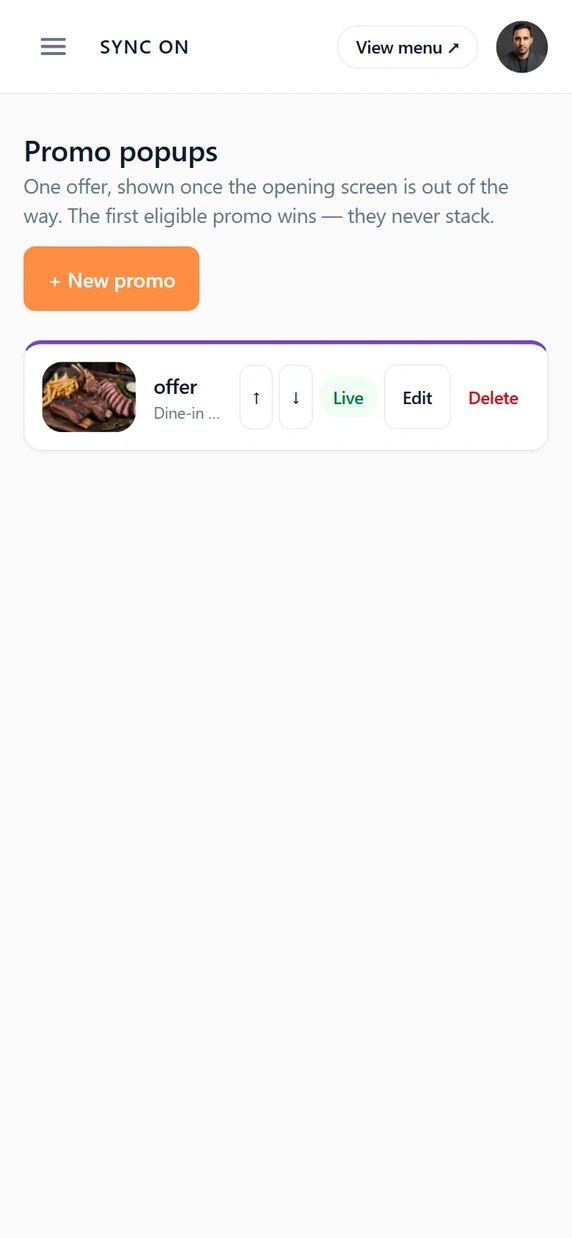
Promo pop-ups
A new dish or a weekend offer, shown to guests when the menu opens.
12
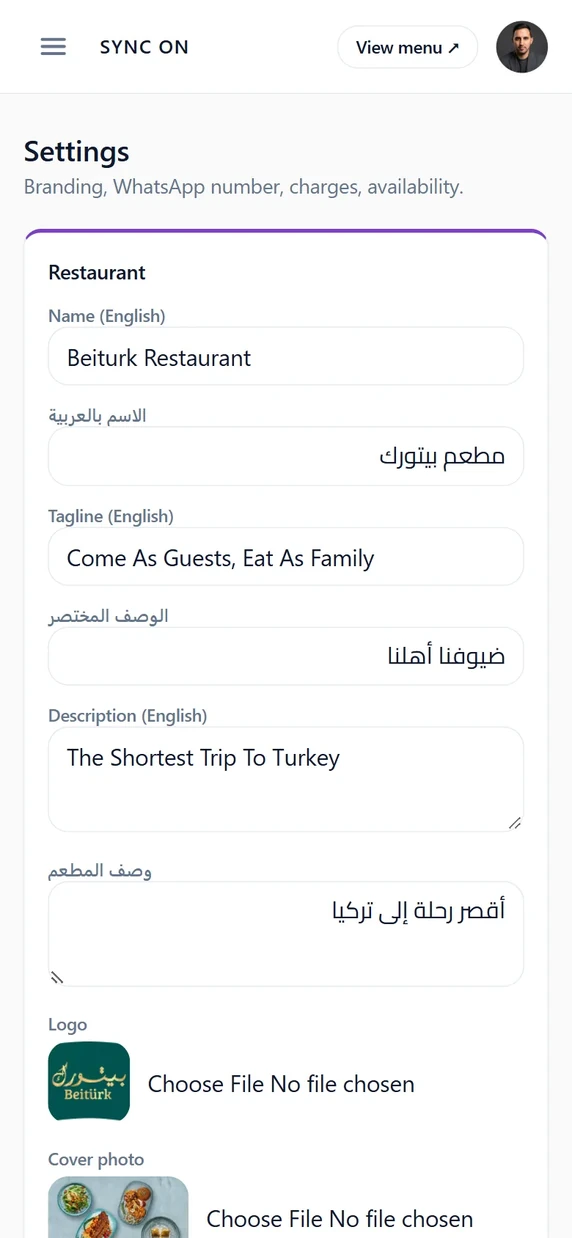
Settings
Name, tagline, logo, hours, WhatsApp, VAT and ordering on or off.
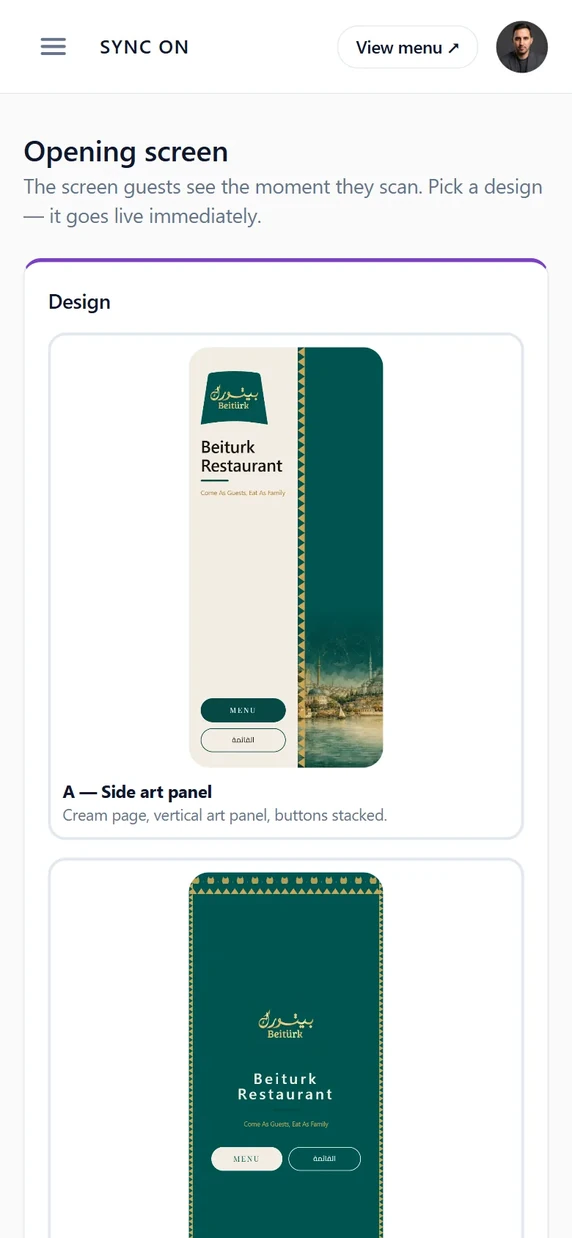
13
Opening screen
Pick one of three designs and see it live before guests do.
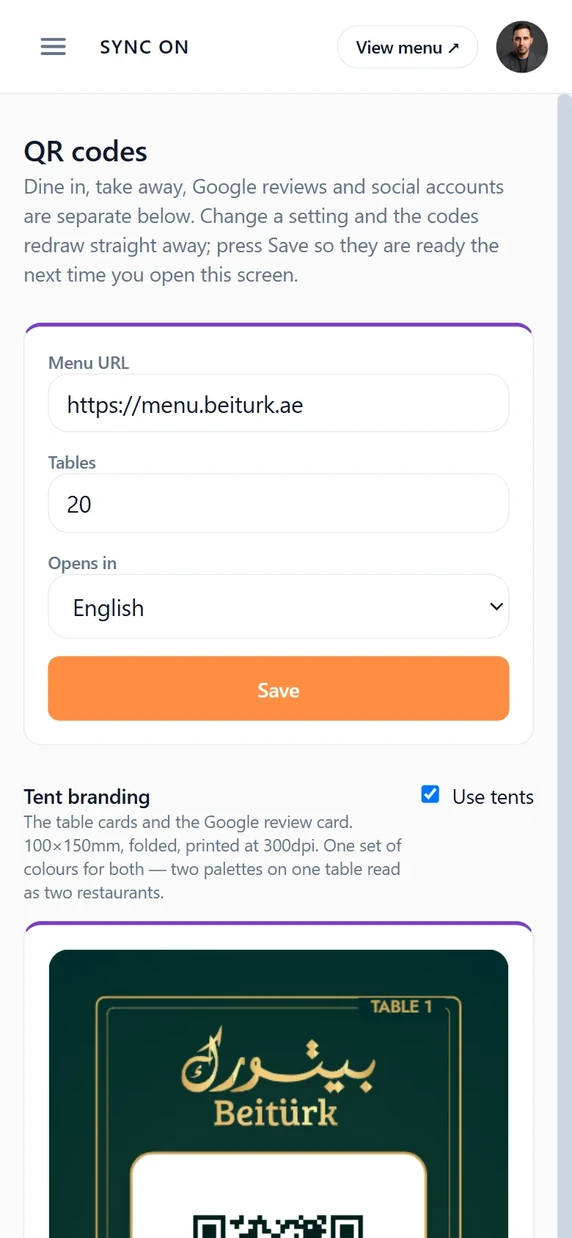
14
QR codes
A code for every table, take-away and Google reviews, printed as branded table tents.
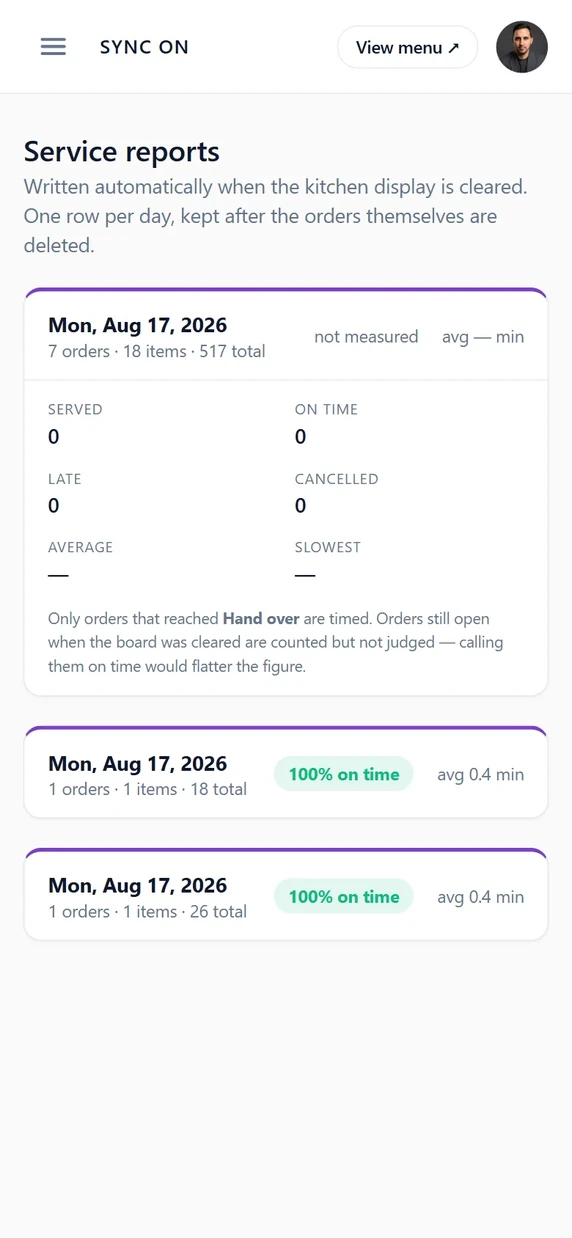
15
Service reports
One row a day: orders, items, revenue and how many were on time.
Everything it does
What can the Beitürk QR menu do? The full feature list
قائمة المزايا كاملة.
For the guest
للضيف
- Scan the table QR and the menu opens with the table number attached: no app, no login, no typing
- A branded opening screen in one of three designs, gone in about two seconds
- Full English and Arabic with real right-to-left; switching keeps the cart and the place
- Category tabs that follow the scroll, live search and a chef’s picks row
- Each dish shows its photo, description, allergens, calories and prep time
- Pinch to zoom always works, and every button is big enough for a thumb
- A shared dish link opens that dish and previews properly in WhatsApp
Ordering
الطلب
- Choices like bread, rice or cooking way, with required and optional groups and “choose up to” limits
- A cart with quantities, notes for the kitchen and a running total, VAT already included
- Dine-in orders go straight to the kitchen screen, stamped with the table
- Take-away orders open WhatsApp with the basket and the car plate, so staff find the car
- Sold-out dishes stay visible but unavailable; the restaurant can close or switch to view-only
Kitchen display
شاشة المطبخ
- A live ticket board with a countdown against each section’s service target
- Start → Ready → Handed over, with every time kept for the reports
- Lines ticked off on one screen show on every screen in the kitchen
- “Clear today” closes the day into a report and empties the board
Menu management
إدارة القائمة
- Categories and dishes in both languages: add, rename, reorder, hide or delete
- A full dish editor with photo upload, prices, tags, allergens and nutrition
- Shared option groups: build “Bread add-ons” once, use it on any dish, change the price in one place
- Your own tags and allergens, with an emoji, in both languages
- A section can be dine-in only or take-away only
- Promo pop-ups for a new dish or a weekend offer
Settings and QR codes
الإعدادات ورموز QR
- Name, tagline, logo, cover, opening hours, phone, WhatsApp, address, map and social links
- VAT, currency, service charge, open or closed, ordering on or off
- The opening screen designed live, with a phone preview in both languages
- A QR per table, a take-away QR, a Google review QR and one per social account
- Table and review cards print as branded tents; the code itself always stays black on white
- Codes never change, so a card printed today still scans next year
Reports, team and roles
التقارير والفريق والصلاحيات
- A daily report: orders, items, revenue, on time vs late, and service minutes per section
- Roles the restaurant builds itself, like Cashier or Head chef, without any code
- Separate rights to see and to change each screen, enforced in the database
- Each team member has a name and photo, and the owner can never be locked out
- Google reviews sync into the menu automatically
Have a project in mind?
هل لديك فكرة مشروع؟ تواصل معنا.
Tell us what you need on WhatsApp. You get a clear answer and a fixed quote in AED.